
Stream Builder Watchalong Demo: What a Pro Football Watchalong Looks Like
The quickest way to understand what a watchalong overlay does is to see one running. The video above is a Stream Builder watchalong demo. This post walks through what is on screen and how each piece gets there, so you can picture it on your own channel.
What you are looking at
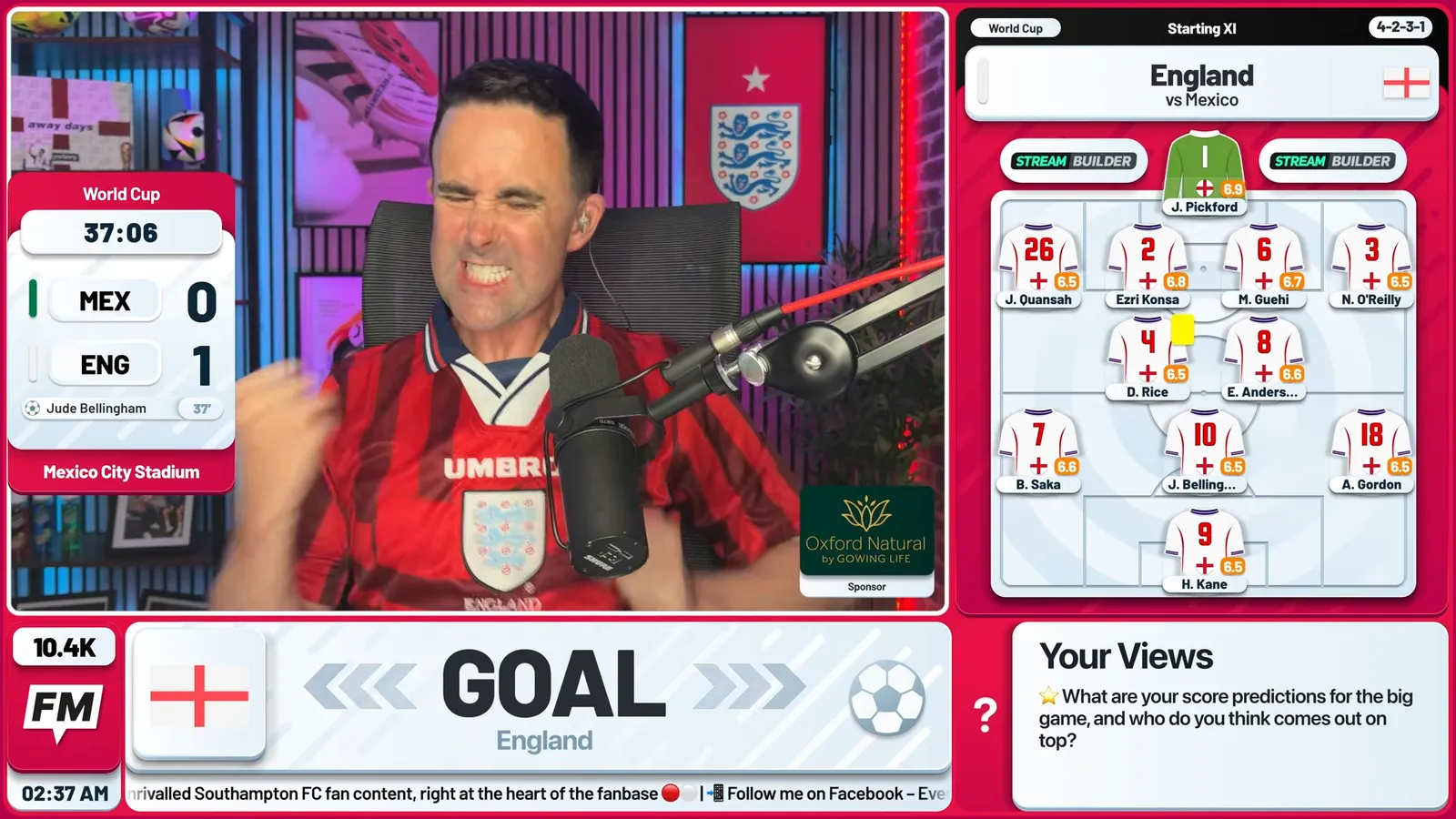
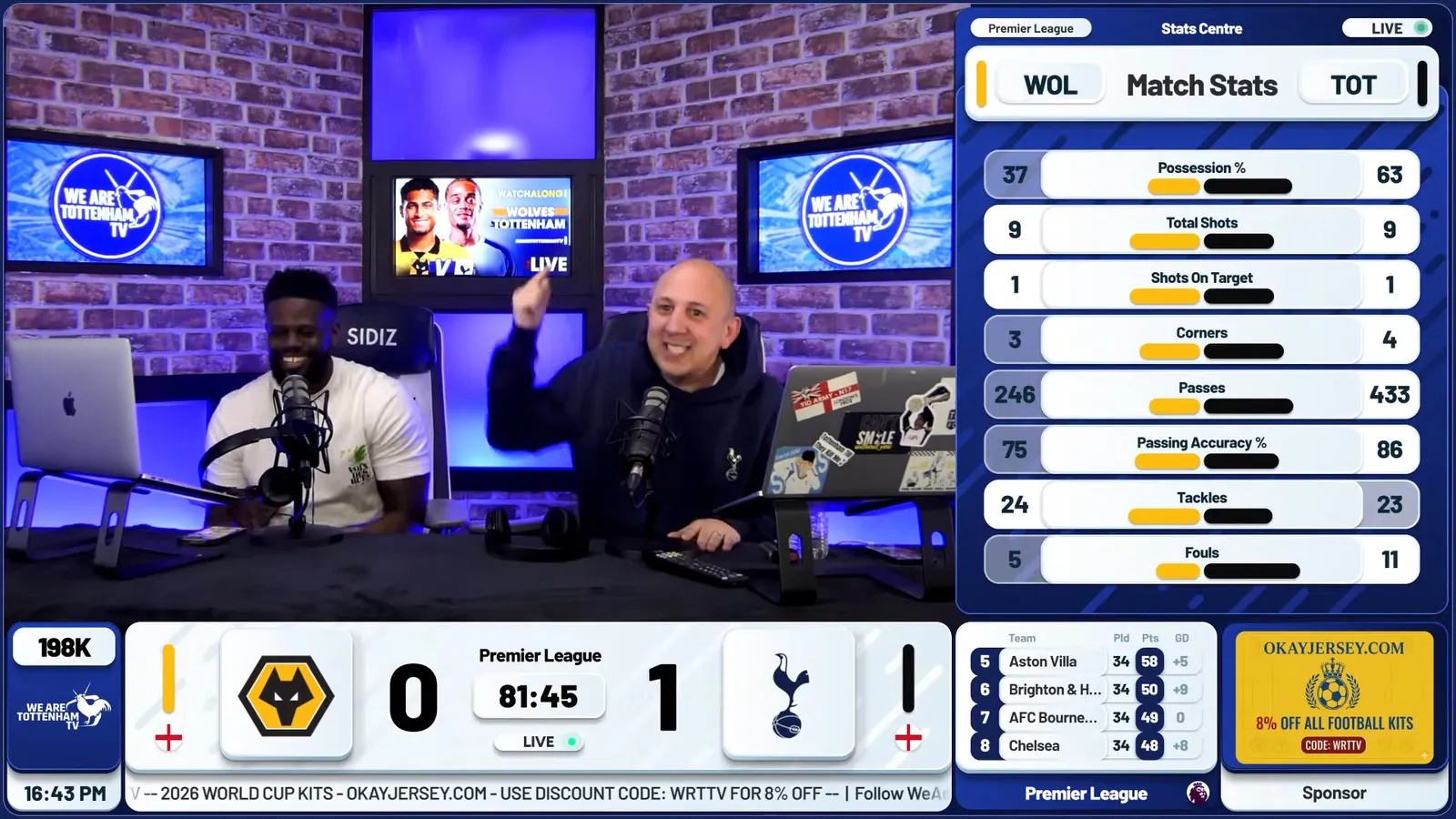
A watchalong is live co-commentary: the host's camera, their reactions, and live match data on top. The match footage itself is never shown, so everything a viewer needs to follow the game has to come from the graphics. That is the job Stream Builder does, and it is why the overlay matters so much more in this format than in most.
The graphics doing the work
Four pieces carry most of a watchalong:
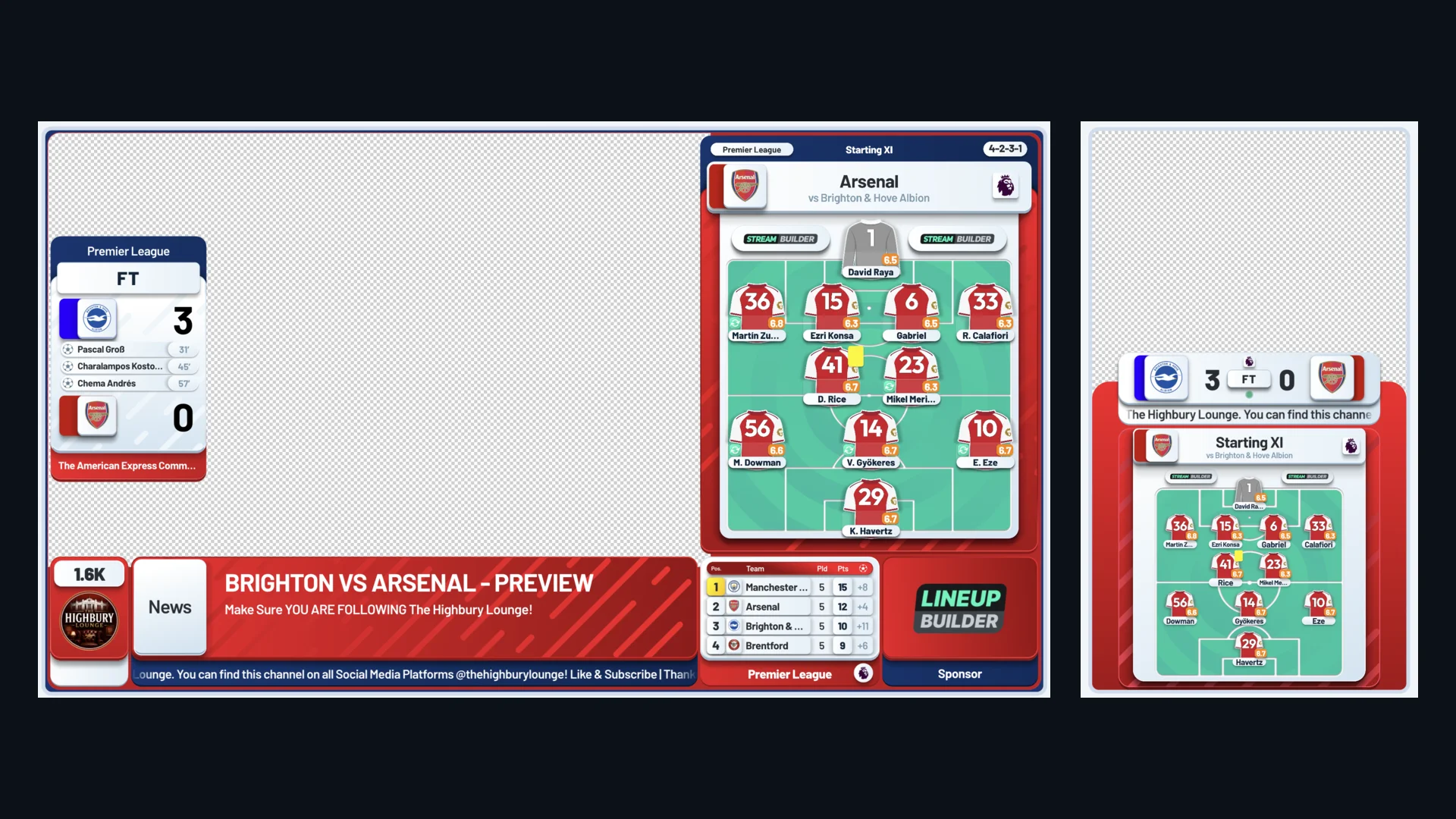
- The score bug: the score and match clock, always in the same place, so anyone joining mid-match knows where the game is.
- Lineups: starting elevens and subs on screen without the host typing a name, which frees up pre-match time for actual talking.
- Live stats: possession, shots and the rest, which give the host something to react to in quiet spells.
- Superchats on screen: viewers who pay to be part of the stream see themselves in it straight away.
All of it updates from live match data, so the host spends the match on the game rather than on the graphics.
How it runs: one browser source
Stream Builder runs as a single URL. In OBS, StreamYard or Streamlabs you add it as a browser source and place it over your camera. There are no plugins to install and nothing to render yourself. If you have not built your scenes yet, our OBS watchalong setup takes about 15 minutes, and the best OBS settings for YouTube cover the stream quality side.
Because it is a browser source, the same graphics work whichever tool you stream with. Not sure which to pick? Here is our StreamYard vs OBS comparison.
Built around your brand
The demo is in Stream Builder's own brand colours, for demonstration purposes only. On your channel the whole overlay is designed in your colours, with your logo and your sponsors built in. We also offer a completely bespoke redesign of every widget, so the score bug, lineups, stats and the rest look like they were made for your channel and nobody else's.
Beyond the basics
Once the core overlay is running, there is more you can switch on from the same back office:
- A tactics board to draw formations and explain goals as they happen.
- Predictions, polls and head-to-head segments to give viewers a reason to arrive before kick-off and stay to full time.
- A persistent sponsor slot, which is the asset that makes a channel attractive to sponsors.
Staying on the right side of the rules
The demo works as a watchalong because it never shows broadcast footage: the graphics carry the score, the clock and the events, and the host watches the match on a separate screen. If you are new to the format, read the watchalong copyright guide before your first stream.
Frequently asked questions
What is in the Stream Builder watchalong demo?
A football watchalong running with Stream Builder's overlay: a live score bug, lineups, stats and superchats on screen over the host's camera. It shows how the graphics carry the match for viewers without any broadcast footage.
Do I need special software to use these graphics?
No. Stream Builder is a single browser source URL, so it works in OBS, StreamYard, Streamlabs and any other tool that supports browser sources.
Do I have to update the graphics during the match?
No. The score, clock, lineups and stats update automatically from live match data, so you can focus on the commentary.
Can the overlay be branded to my channel?
Yes. The demo uses our brand colours for demonstration purposes, but every package is designed in your channel's colours with your logo and sponsors. We also offer a completely bespoke redesign of all widgets, and we hand you the keys once it is ready. Get in touch and we will scope it with you.