
The Complete Guide to Football Watchalongs (2026)
Every match day, millions of fans skip the pub and watch the game 'together' with a fan channel instead. That's a watchalong: you stream your live reaction to the match, your viewers watch the actual game legally on their own screen, and your channel becomes the room everyone shouts in. Done well, it's the fastest-growing format in football content, and this guide covers everything you need to run one properly.
What a watchalong actually is (and why it grows channels faster than highlights)
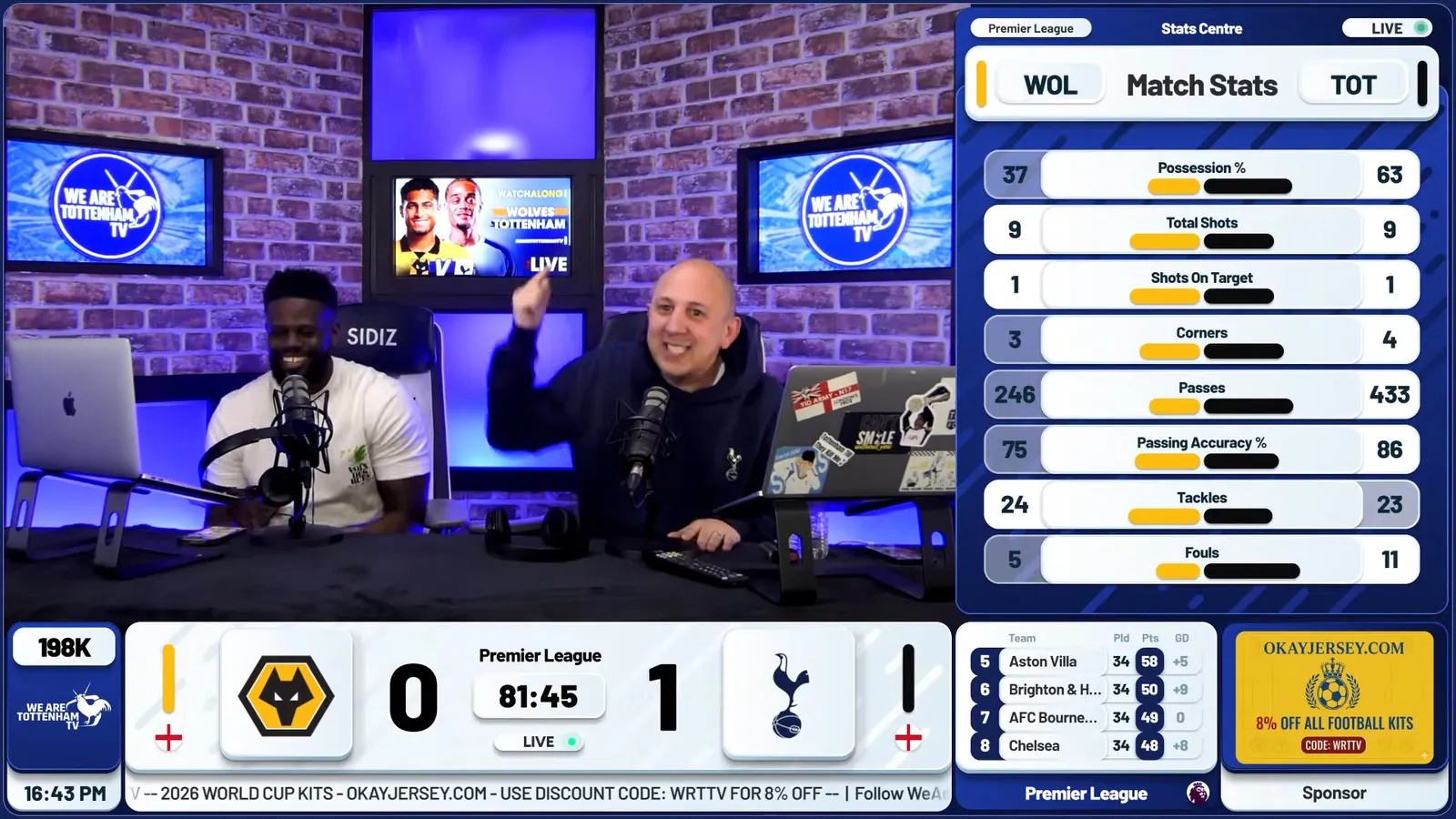
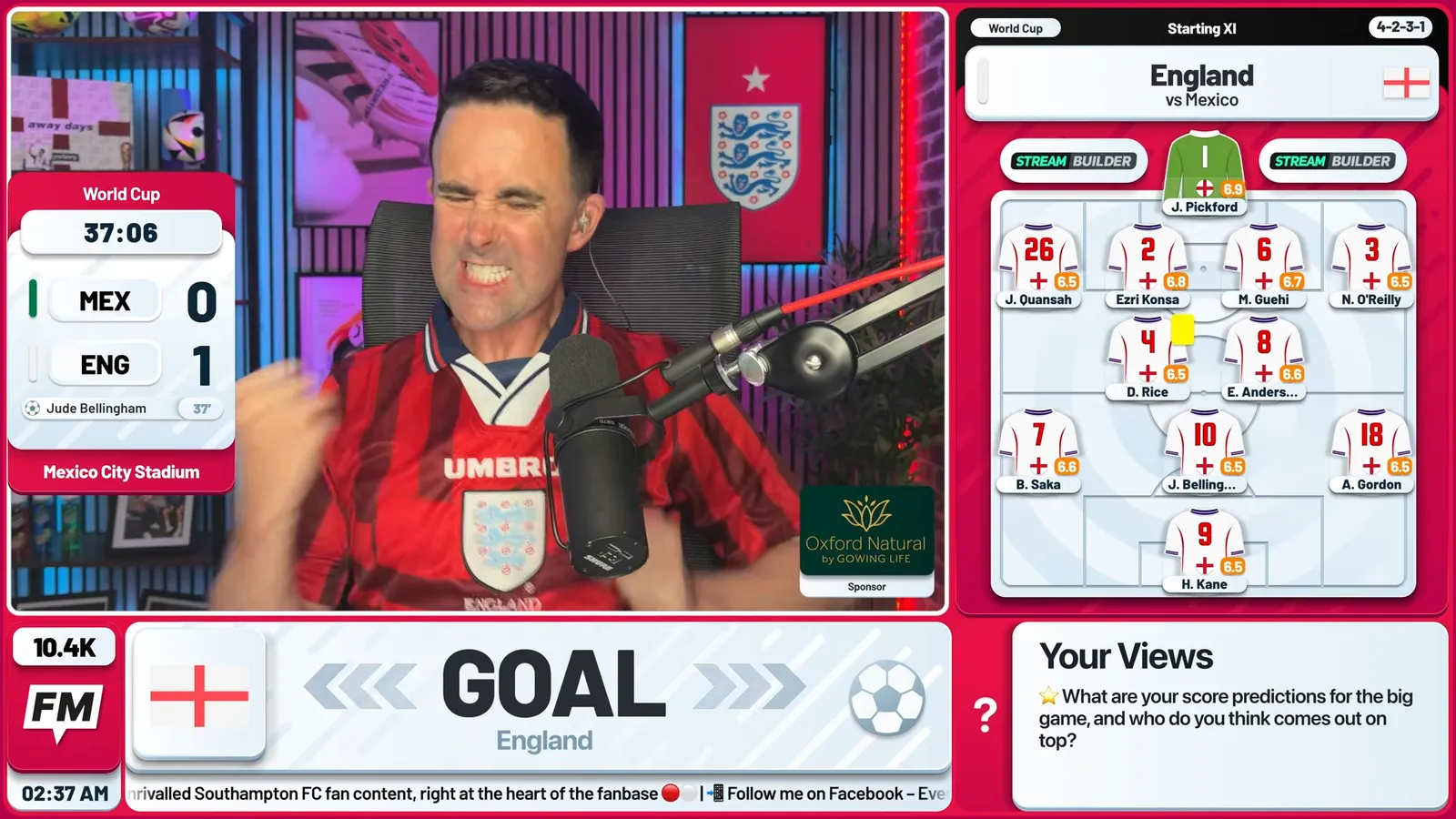
A watchalong is live co-commentary. You never broadcast the match footage itself. What you stream is your camera, your reactions, and live match data: the score, the clock, lineups, and stats. Viewers sync you up with their own legal feed of the game and experience the match with you.
The growth mechanics are unmatched. A 90-minute live stream generates more watch time per viewer than any highlights video, and watch time is what the algorithm rewards. More importantly, watchalongs are appointment viewing: every fixture is a recurring reason for your audience to come back. One Leeds built this into a habit and hit a million views in a single 28-day stretch on the back of match-day streams.
The legal foundation: what you can and can't show
Broadcast rights are the one rule you cannot bend. The line is simple:
- You CAN show: your camera, your commentary, live scores and the match clock, lineups, stats, your own graphics and overlays, and viewer interaction like super chats.
- You CAN'T show: live match footage, the broadcaster's feed (even in a corner, even muted), broadcast audio in the background, or in-stream highlight clips.
Watch the match on a separate screen and never screen-share it. Your overlay should carry everything viewers need to follow the game: the score, the clock, and key events. That's not a workaround; it's what makes the format work. For the full breakdown of the rules, the grey areas, and what actually gets streams taken down, read our watchalong copyright guide.
The kit you actually need
Channels overspend on gear and underspend on presentation. The minimum viable setup:
- A camera: a mid-range webcam or your phone is fine to start.
- A USB microphone: audio quality matters more than video quality.
- Streaming software: OBS Studio (free, most flexible), StreamYard, or Streamlabs all work. Torn between the two big names? Here's our full StreamYard vs OBS comparison.
- A stable connection: aim for at least 6 Mbps upload for 1080p.
Setting up your stream in OBS in 15 minutes
- Create a scene and add your camera as a video capture source.
- Add your microphone and set a noise gate so crowd noise from your TV doesn't bleed in.
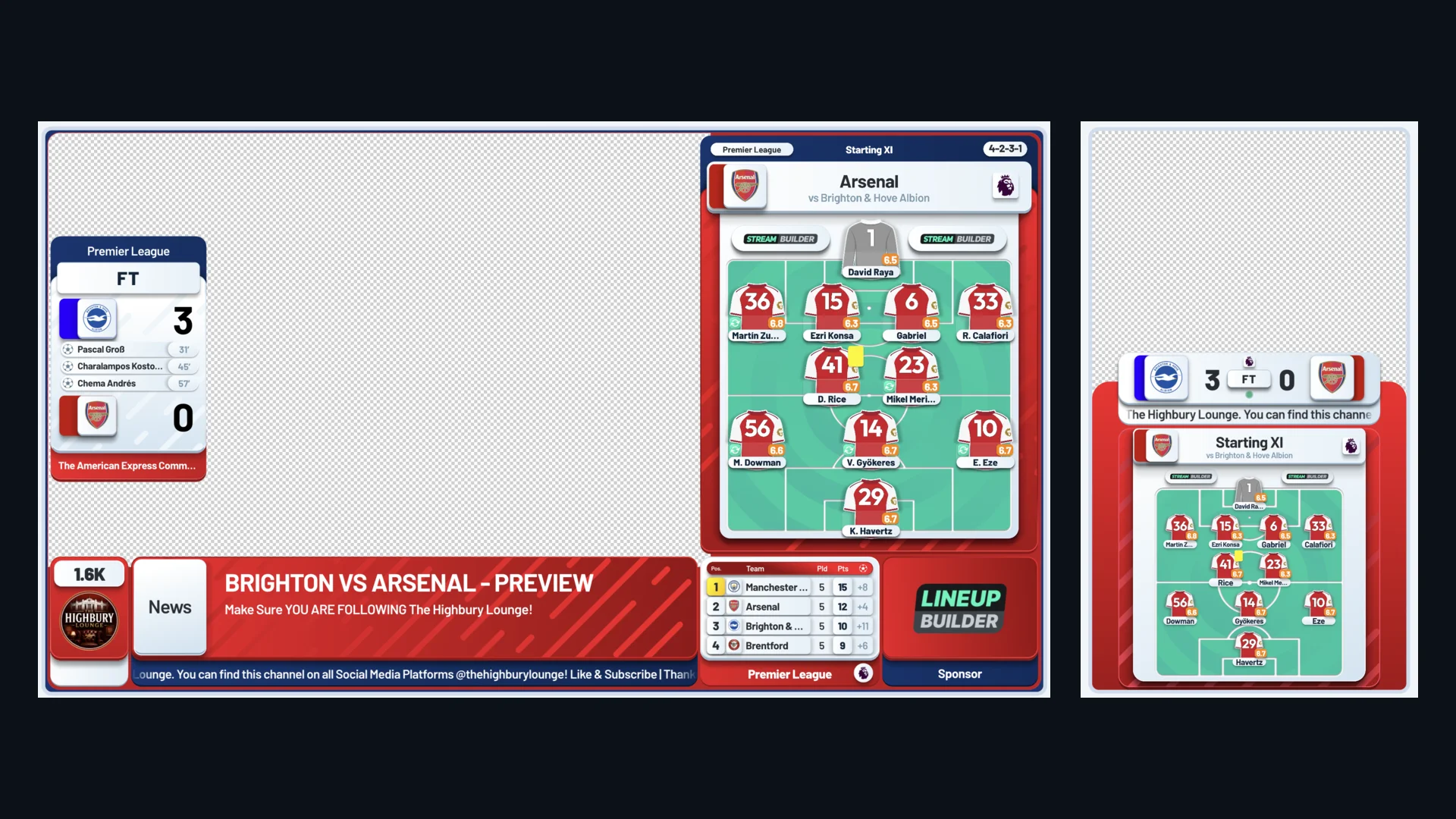
- Add your overlay as a browser source. This is where your score bug, lineups, and live stats render on top of your camera.
- Run a private test stream before match day. Check audio levels, overlay position, and that your stream key is set to the right channel.
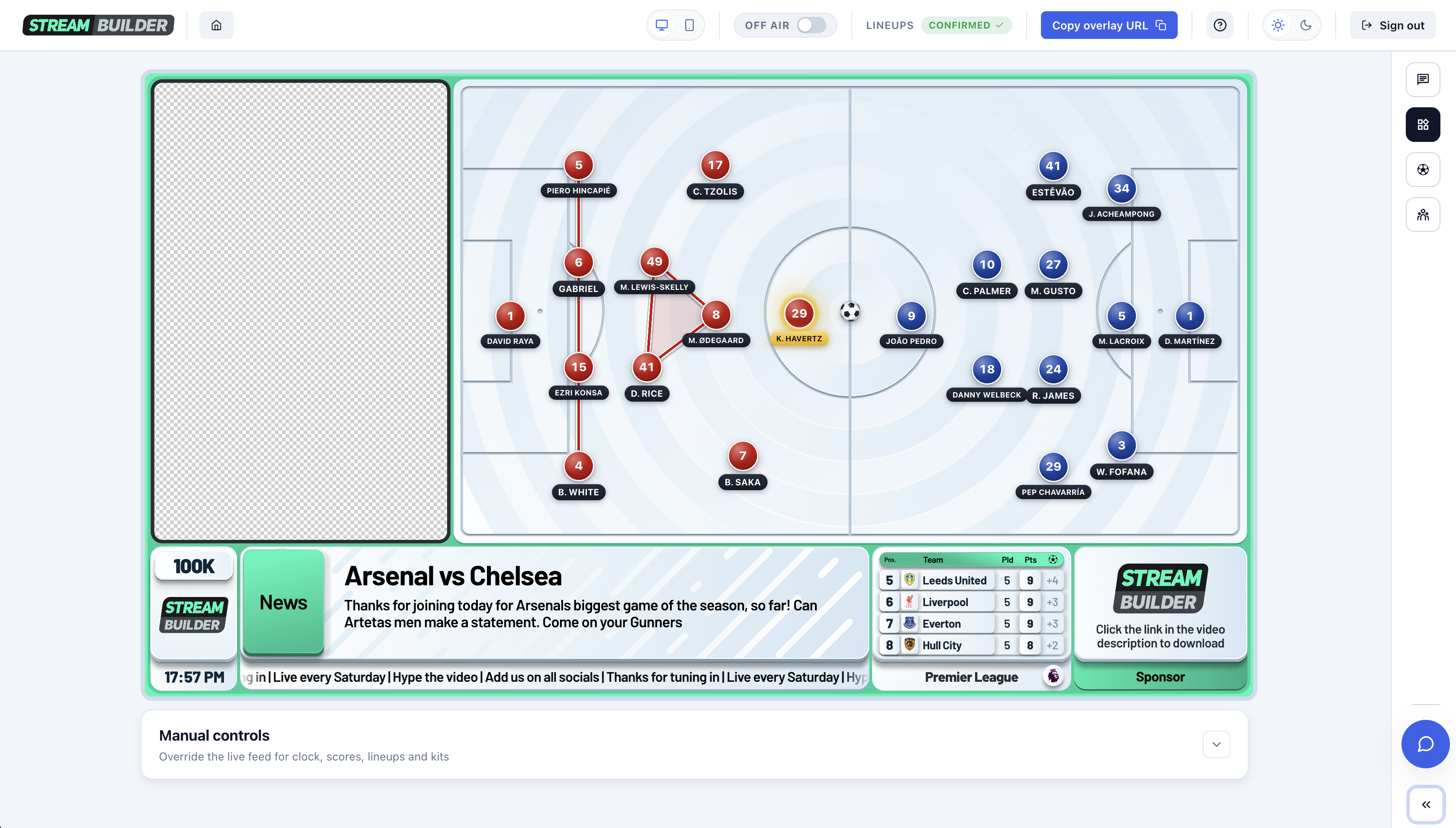
The browser source is the key concept: professional overlay systems (Stream Builder included) run as a single URL you drop into OBS, StreamYard, or Streamlabs. No plugins, no downloads, and the graphics update themselves with live match data while you focus on the game. Once your scenes are built, dial in the best OBS settings for YouTube — resolution, bitrate, encoder, and keyframe interval — so the stream is as smooth as it looks.
Structuring the show: pre-match, the 90, and full time
The channels that grow treat a watchalong as a show with a running order, not a webcam left on. A proven structure: go live 30 to 45 minutes before kick-off with lineup reactions and predictions; through the match, let the score bug and live stats carry the information while you carry the emotion; at half time, run a stats-led debate segment; after full time, do player ratings and read out super chats. Every segment is a reason to arrive early and stay late.
“This month we hit 1M views in 28 days and their overlays and support have massively helped me achieve this goal.”
Conor McGilligan, One Leeds
Keeping viewers engaged for 90+ minutes
- Put super chats on screen the moment they land. Viewers pay to be part of the broadcast, so make it visible.
- Run predictions before kick-off and score them live; a head-to-head widget turns this into a segment.
- Use half time deliberately: stats comparisons, player battles, and polls beat dead air.
- React to the data, not just the goals. Live xG, possession, and shot counts give you talking points in quiet spells.
For the full set of segments and the running order they slot into, our fan engagement playbook covers every phase of the stream.
Looking professional: why graphics decide who stays
Viewers judge a stream in seconds. Two channels can have identical insight, but the one with a live score bug, automatic lineups, and clean branded football streaming graphics reads as a broadcast, while the other reads as a webcam. Presentation is also what unlocks sponsorship: brands pay for placements that look professional, and a persistent sponsor slot in your overlay is exactly that — here's how fan channels land sponsors. This is the gap Stream Builder closes for fan channels: broadcast-quality graphics, powered by real-time match data, built around your channel's identity.
Frequently asked questions
Is it legal to stream a football watchalong?
Yes, as long as you never show or play the match broadcast itself. Your camera, commentary, and live data graphics are yours; the footage belongs to the rights holder. Watch the game on a separate screen and let your overlay communicate the score and clock. Our watchalong copyright guide covers the full rules.
Do I need OBS to run a watchalong?
No, but it's the most flexible free option. Any streaming tool that supports browser sources (OBS Studio, StreamYard, or Streamlabs) can run a professional watchalong with live graphics.
How long should a watchalong be?
Kick-off to final whistle plus a pre-match and post-match segment, typically 2.5 to 3 hours in total. The pre- and post-show is where communities form and super chats concentrate.
How do watchalongs make money?
Super chats and channel memberships during the stream, plus sponsorship. A persistent, professional sponsor placement in your overlay is the most sellable asset a fan channel has.